
The easiest way to do this is to right click in Windows Explorer, select Tortoise > Settings.
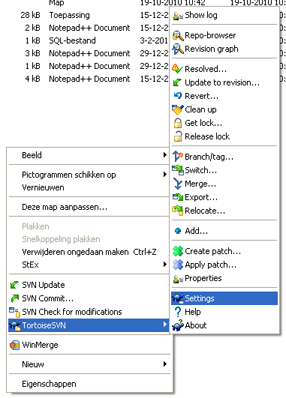
Then in the Settings window select the Network tab. Then in the SSH client field, set use the Tortoise SSH client, TortoisePlink, to use your username and password. For example:
D:\TortoiseSVN\bin\TortoisePlink.exe -l username -pw password
Hope this helps


I did the same configuration as you tnmeion above. But I dont know why when I ping I get the error ORA-00604: error occurred at recursive SQL level 1 ORA-12705: Cannot access NLS data files or invalid environment specified Enviroment isOracle Database 10g Express Edition Release 10.2.0.1.0 ProductPL/SQL Release 10.2.0.1.0 ProductionCORE 10.2.0.1.0 ProductionTNS for 32-bit Windows: Version 10.2.0.1.0 ProductionNLSRTL Version 10.2.0.1.0 ProductionWin Xp Sp3And The Locale is tr_TR. thanks